
How to Dock and Resize the Wallet Tracker
The wallet tracker does not have to float on top of your chart. It can sit in a sidebar on either edge of the window at three sizes, stretch to half a monitor, or shrink to a small panel. Here is how to place it and which size suits which screen.
 Updated November 28, 2026
On this page
Find the Layout menu
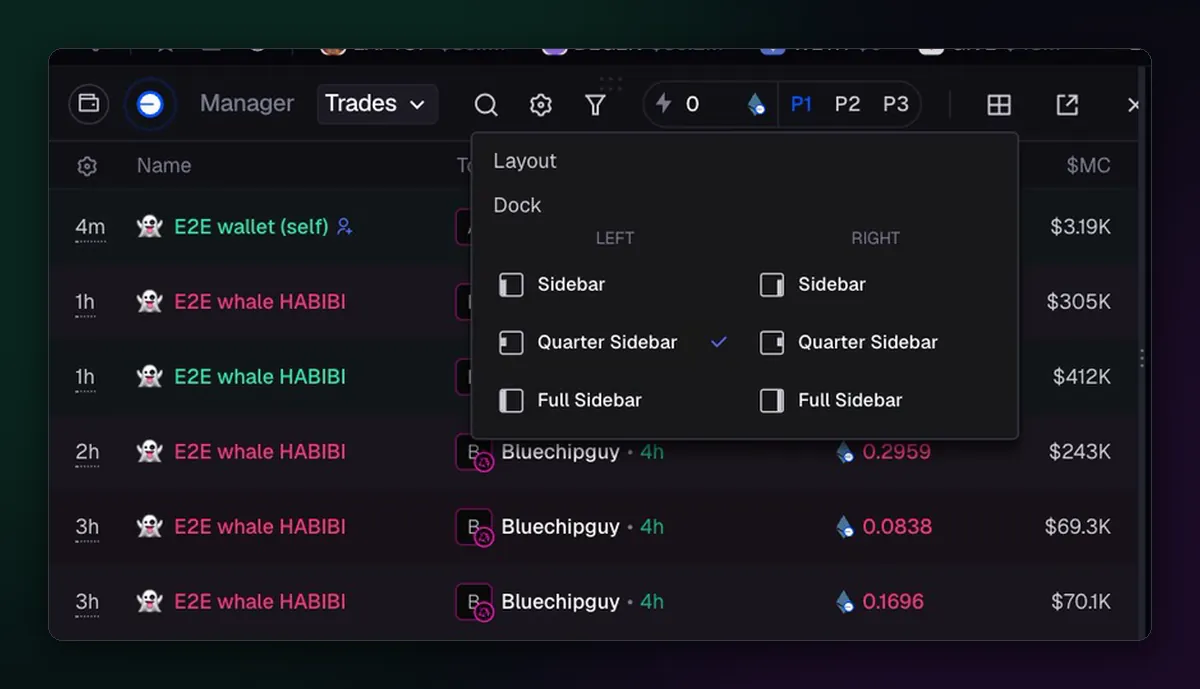
The tracker's header ends with a few icons. The grid-shaped one is Layout, and its menu has a Dock section with two columns, Left and Right, each offering Sidebar, Quarter Sidebar and Full Sidebar. A tick marks the dock in use. Other trackers have the same menu.
Choose between the three docks
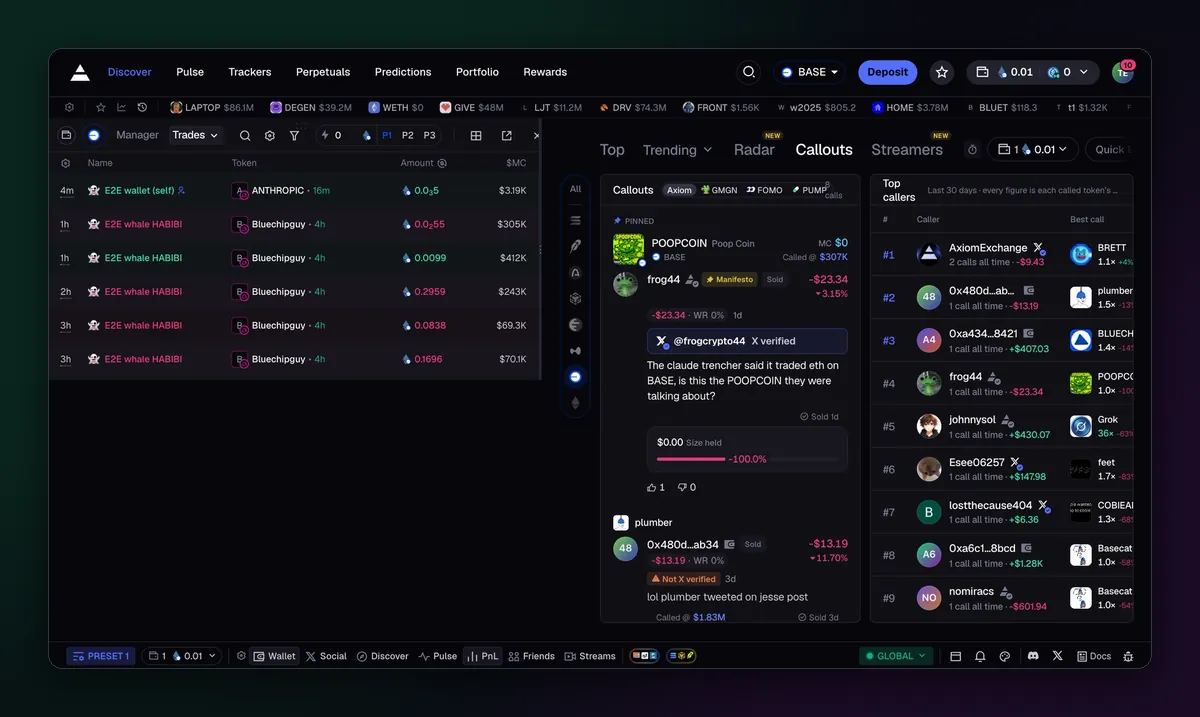
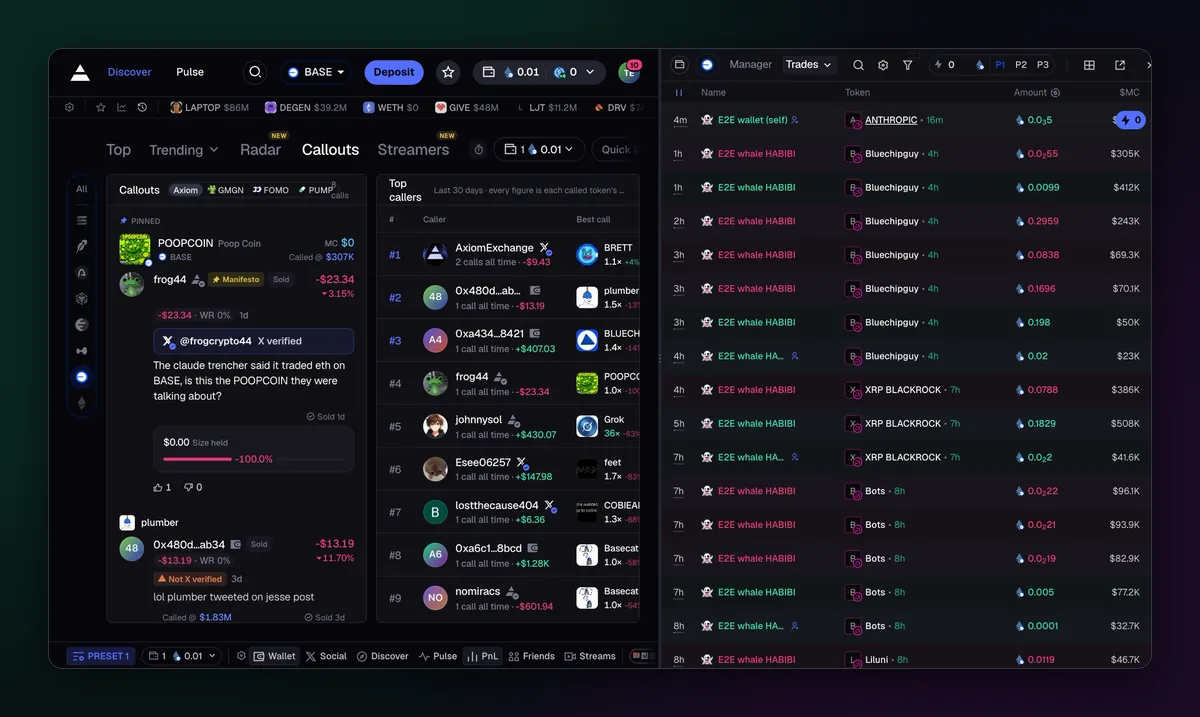
Sidebar docks the tracker at the width you have set. Quarter Sidebar puts it over the top half of that edge. Full Sidebar runs it down the whole window, top bar included, so the navigation shrinks to fit beside it. In all three the page moves over and nothing ends up hidden underneath, which is the real gain over a floating window: no more dragging it off the Buy button.
Drag it wider
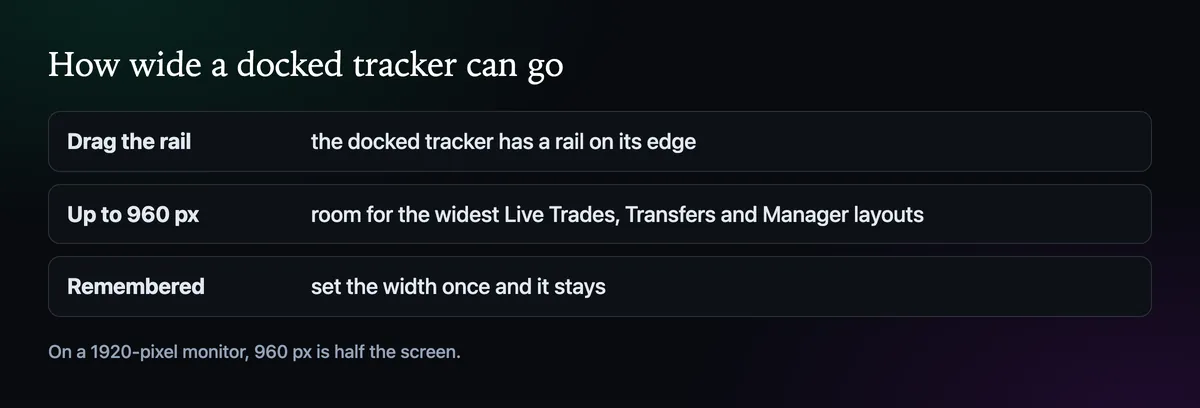
A docked tracker has a rail on its edge. Drag it and the panel grows up to 960 pixels wide, enough for Live Trades, Transfers and the Manager to switch to their widest layouts. The width is remembered, so you set it once. On a 1920-pixel monitor that maximum is half the screen, which is too much next to a chart and about right next to Pulse.
Or shrink the floating window
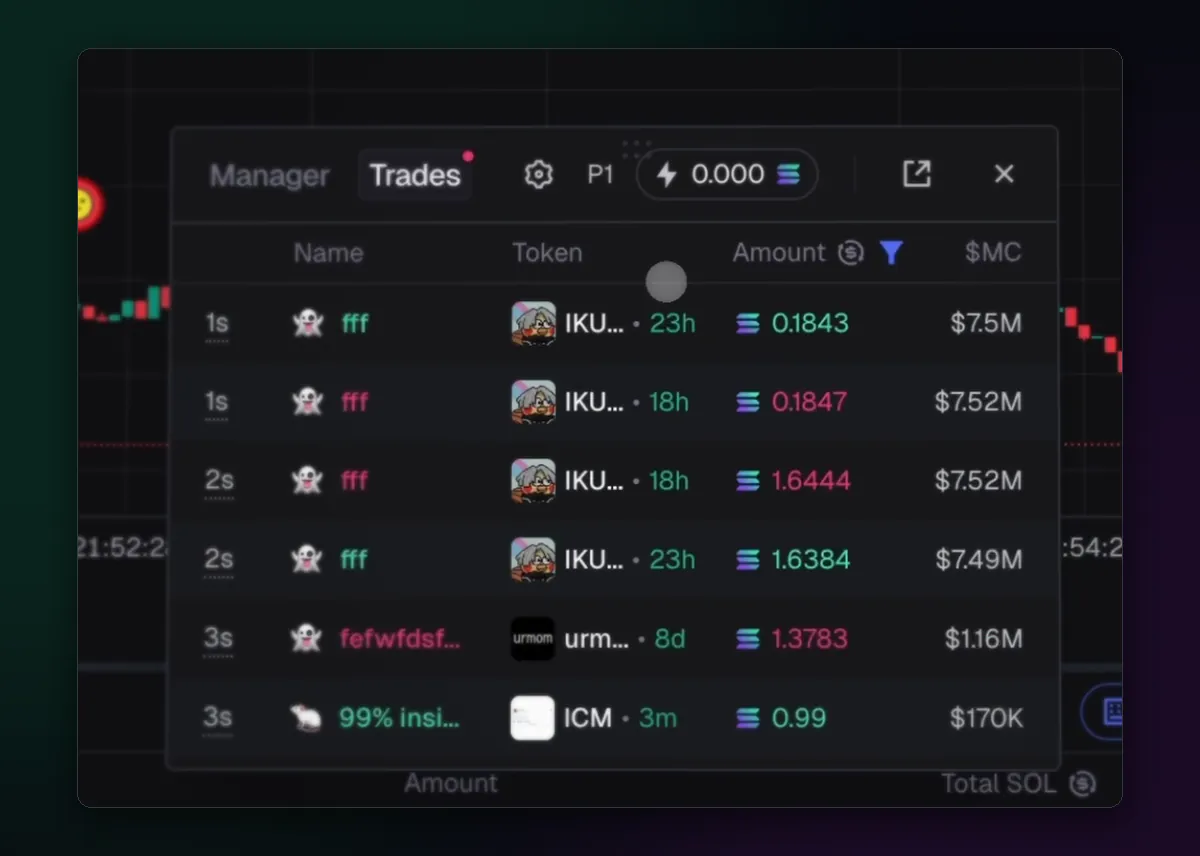
Undocked, the tracker is a window you can resize down to a small card. As it narrows, the tab names shorten to Manager and Trades and token names are cut to a few letters, but each row keeps its four facts: wallet, token, amount and market cap. Park it over a quiet stretch of the chart.
Which one to use
On a laptop, use the small floating window or no window at all: the toasts in How to Turn On Live Trade Alerts cost no screen space. On one wide monitor, a Full Sidebar on the right gives you a tall feed that never overlaps anything. Quarter Sidebar is the compromise when you want the last few trades in view and the rest of that edge free. A tracker is only worth the space if the list behind it is good, and How to Add a Wallet to the Wallet Tracker covers building one.

Written by Mohammad Shahpari · Web3 CMO, Crypto Growth & SEO Specialist · X · LinkedIn
Did this answer your question?